Isolara Secure Workspace
Open anything. Expose nothing.
Secure browsers, Linux desktops, security tools and Windows remote desktops — streamed from isolated containers on your own servers to any browser, iPhone, iPad or Android device.
What is Isolara?
Isolara is a secure workspace platform by OMARINO IT Services. Every session runs in its own disposable, hardened container with its own network. Only an encoded video stream reaches the user's device — web content, files and malware stay on the server. Users sign in with their company identity and start working in seconds, without installing anything.
Functions and features
Secure Browser
An isolated Chromium browser for risky links, unknown websites and research. Downloads, clipboard and printing follow your policy.
Linux Desktop
A full XFCE desktop in the browser, ready in seconds — temporary or with a persistent personal drive.
Security tools
Wireshark for capture analysis, and a catalogue for further tools of your security team.
Windows remote desktop
Access to registered Windows machines through the same secure gateway. Credentials are never stored in the browser or logged.
Apps for iPhone, iPad and Android
Native apps with a tablet layout; on-premises customers connect them to their own server.
Data-loss prevention
Policies for clipboard, file upload and download, printing, audio, microphone, idle and session time — per company, template, group or user.
Tenants, roles and audit
Several organisations on one platform, five roles, and a tamper-evident audit log of every administrative action.
Single sign-on
Works with your identity provider through OpenID Connect: Keycloak, Microsoft Entra ID, Okta and others.
Smooth streaming
Up to 60 frames per second with AV1, VP9 and JPEG, optional GPU rendering, royalty-free codecs only.
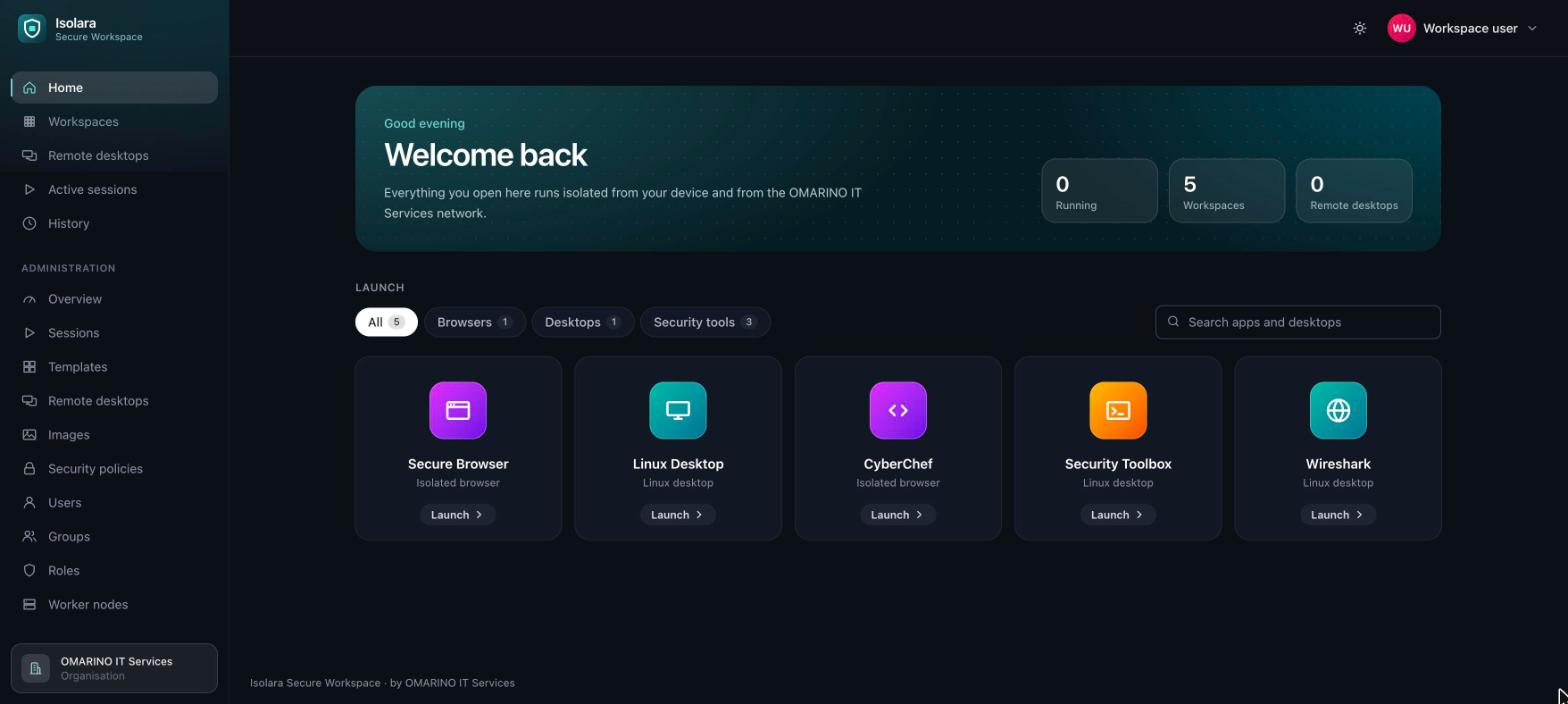
One launcher for everything
Users find their browsers, desktops and tools in one place, start them with one click and reconnect to running sessions.
Control for administrators
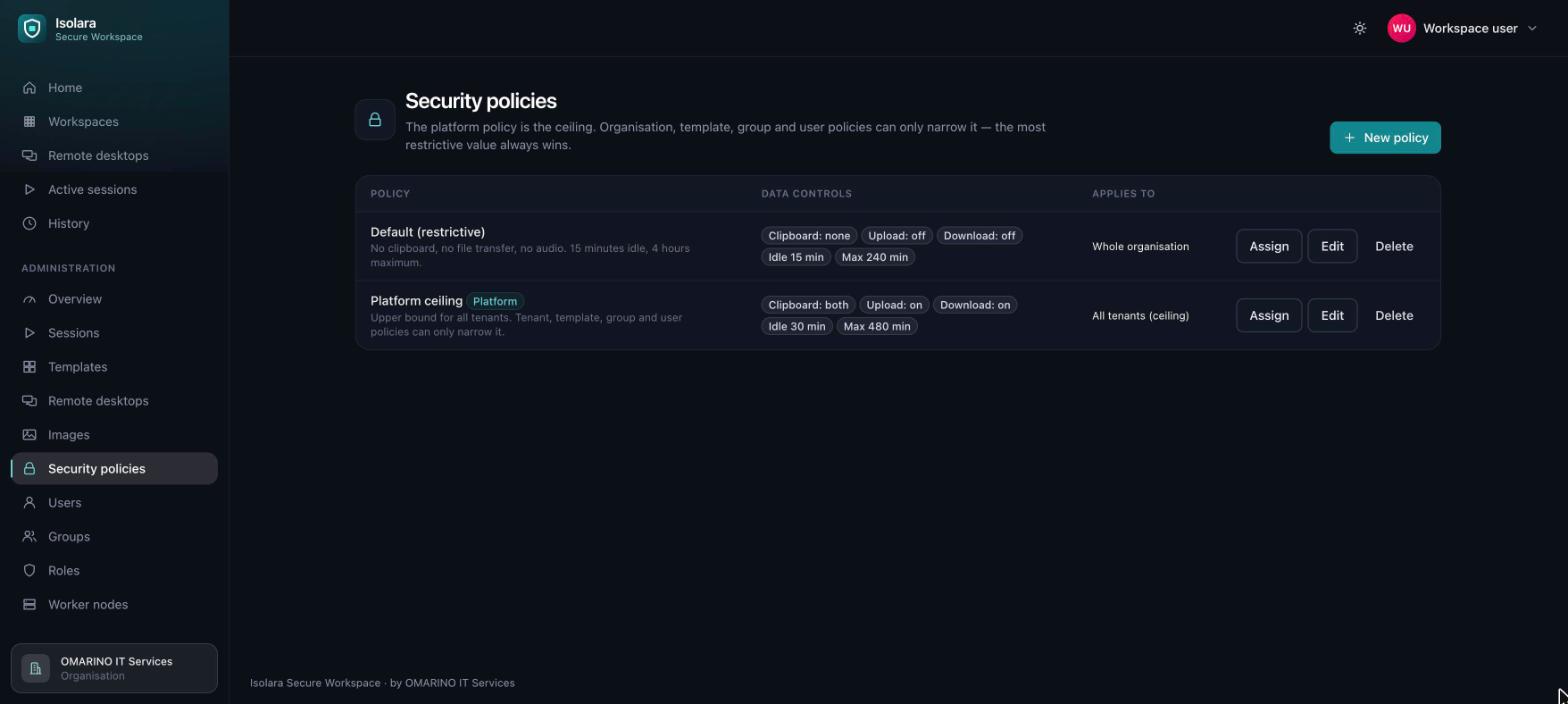
Templates, images, security policies, users, quotas and the audit log in one clear administration area.
Your workspace in the browser
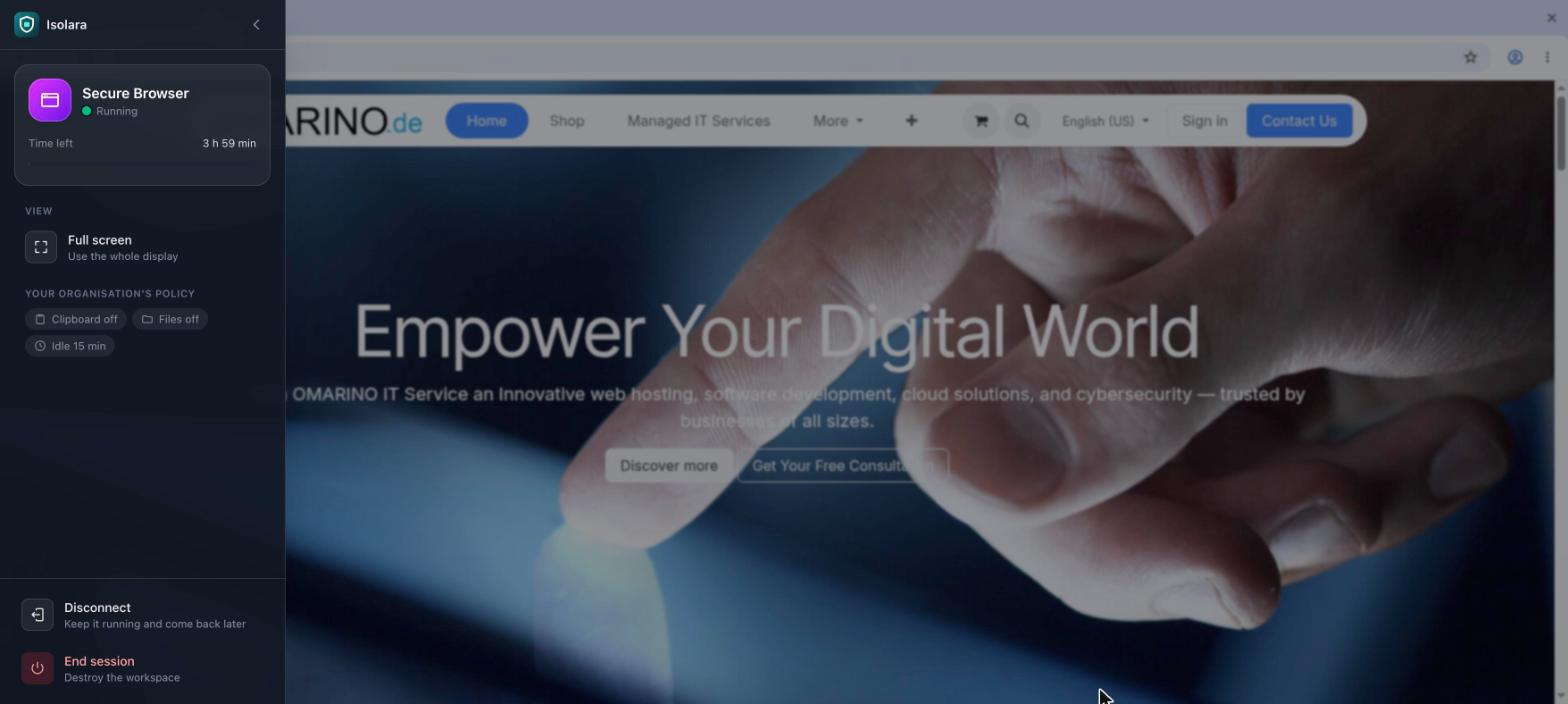
The isolated session appears in a browser tab like a local application — only pixels travel, never the content.
What makes Isolara different
Your servers, your data
Isolara runs entirely on your own hardware or in your data centre. Sessions, files and logs never leave your infrastructure; only a daily licence check contacts us — without user names or content.
Security by design
Every session gets its own network, egress filtering and a hardened container. Only one internal service may start containers, and it checks each one against fixed security rules before it starts.
Nothing to install
Users need only a browser or our app. No VPN client, no plug-ins, no local copies of company data.
Open standards instead of lock-in
Sign-in with any OpenID Connect provider, operation with Docker Compose on a standard Linux server, royalty-free video codecs.
Fair and transparent licensing
The licence is checked daily. If the connection fails, a 30-day grace period applies, and running sessions are never interrupted.
Developed in Germany
Designed, developed and supported by OMARINO IT Services in Germany.
Free for non-commercial use
Use Isolara free of charge for private projects, education, research and non-profit work. The free licence includes all features — only the size is limited:
- Up to 2 concurrent sessions
- 1 tenant
- Up to 2 worker nodes
- All features, including remote desktop and the mobile apps
Commercial use requires a paid licence. Contact us for an offer that fits the number of your users.
How to get started
- Prepare a Linux server (x86-64) with Docker Engine, at least 4 vCPU and 8 GB RAM, a domain name with a TLS certificate and an OpenID Connect identity provider.
- Download the installer. It contains the step-by-step installation guide.
- Install Isolara and sign in as administrator. Even without a licence it runs with one session at a time.
- Send us the installation ID from the licence page with the note “non-commercial”. You receive your free activation code.
docker pull ghcr.io/omarino-de/isolara/installer:0.1.0-22
cid=$(docker create ghcr.io/omarino-de/isolara/installer:0.1.0-22 x)
docker cp "$cid:/isolara" ./isolara && docker rm "$cid"
cat ./isolara/INSTALLATION-GUIDE.md
Ready to isolate your workspaces?
Talk to us about a commercial licence, a pilot project or the free non-commercial edition.